
Cart is empty
Now It's not a dream to convert your OLD TV to a smart android TV
Two Separate devices always Save your money and time
a combination of two gadgets...
ANDROID SMART TV = Television (CRT,LCD or LED) + MyGica Android PC | Box
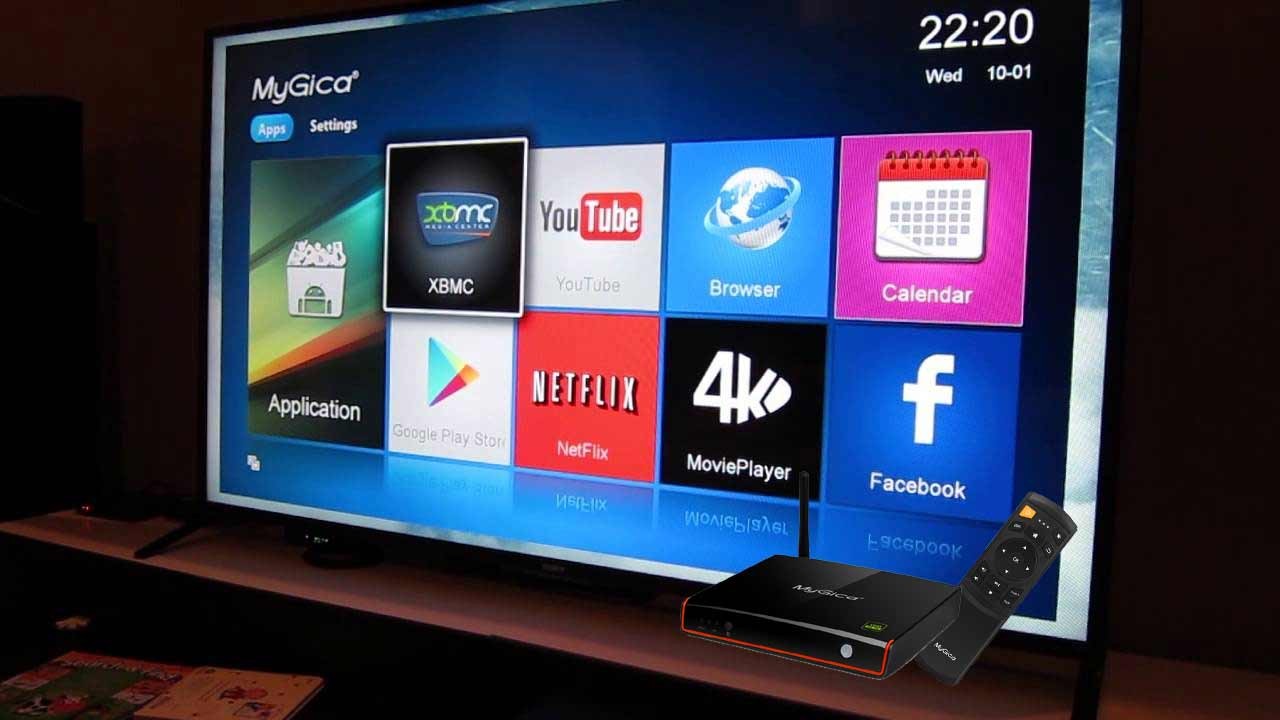
How to do it!
- First, connect MyGica Android PC | Box with the given HDMI cable and secondly,
- You can be easily connected HDMI cable right into your Tv's HDMI port.
- After that connect your power supply and plug it.
- Go to Wi-Fi or LAN settings on ANDROID and adjust according to your connections.
That's all!

ADVANTAGES
+ TWO SEPARATE DEVICES ( NOT BUILT IN ) ( That is a TV & separate MyGica Android PC | Box )
+ No hassle-free during repairs and services.
( Separate devices always Save your money and time )
+ Google play store support enables you to access 3 billion applications
+ Supports standard USB Computer WEB Camera with Mic
( for Hangout, Skype, etc., )
+ Supports standard USB Computer Keyboard and Mouse support
( wired or wireless )
+ Supports USB External High Capacity Support
+ many more features
More...
+ Connect Wireless devices to the TV
You can connect wireless devices to MyGica Android Smart TV Box very easily. Its supporting many wireless peripherals.
Supports
USB Keyboards, USB Mice, USB Trackball, USB Webcams for Skype, USB Hub, etc.,
+ Connect Bluetooth devices to the TV
Simply you can transfer your data between Bluetooth devices and the Television through MyGica Android PC | Box.
and many more...
CLICK HERE FOR PRODUCT DETAILS